
VoIP Softswitch AI: How to Use AI Automation on Your Carrier Switch (2026)
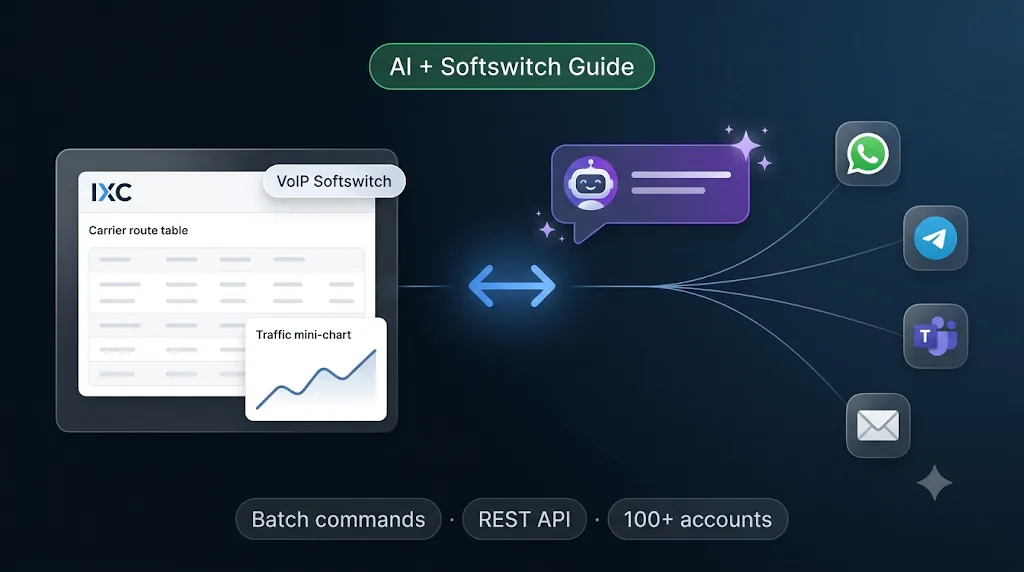
A VoIP softswitch routes, rates, and bills every call on your network. In 2026, the next layer of margin is not more hardware — it is AI automation on top of the switch: fewer clicks, faster partner replies, and batch updates that used to take an hour done in minutes.
This guide explains what AI on a softswitch means for wholesale and retail carriers, and how to use it in practice — from natural-language commands and messenger integration to scheduled traffic reports pulled live from your softswitch REST API.
Why add AI to a softswitch?
Carrier managers still lose hours to the same loop: partner message → open billing UI → find the right screen → copy rates or routes → reply in another app. A softswitch already holds routing, LCR, tariffs, balances, and CDRs. AI should read and write that data — not replace it.
With IXC Softswitch paired with DealoAgent AI, operators typically move from 5–10 accounts per manager to 100+ on the same team — because the switch updates in batch while partners get answers on WhatsApp, Telegram, MS Teams, or email.
What AI automation adds to your softswitch
AI does not replace your softswitch software. It connects to the same billing database, permissions, and APIs you already run:
- Natural-language commands — describe routing or rate changes; the platform applies batch updates across carriers without clicking through ten screens.
- Messenger + email channels — read partner requests and send replies on the channel they use.
- Live softswitch data — traffic, tops, targets, and balances from the IXC Softswitch REST API, not stale spreadsheets.
- Scheduled dispatch — daily or custom cadence for top destinations, traffic alerts, and balance notices.
- Analytics — commitments, traffic deltas, and target-destination reviews summarized before anything goes to a partner.
IXC Softswitch covers Class 4/5 routing, LCR, billing, and APIs. AI Automation is the DealoAgent layer that operates it through conversation and messengers.
How to use AI on your softswitch — step by step
Step 1 — Connect your channels
Link the channels your carriers already use:
- Email (Gmail and rate-mail workflows)
- Telegram
- Microsoft Teams
DealoAgent reads inbound partner traffic from these channels, pulls context from IXC Billing, and can reply on the same thread. Your team stops copying messages into the billing UI.
Step 2 — Issue commands in your language
Instead of navigating menus, tell the system what you need. Examples that map to real softswitch operations:
- "Add India Mobile to carriers 1, 2, and 3 with today's rates."
- "Add terminator SipRoute-B for Cuba Mobile on carriers 1–3."
- "Show ASR and margin for Vietnam Mobile last 24 hours."
The AI translates intent into batch write-back on IXC — routes, tariff lines, terminators, and related objects — with full read, write, and delete coverage across exposed softswitch capabilities.
Step 3 — Handle inbound partner requests end to end
Typical flow:
- Partner asks for a rate change or new destination in Teams or WhatsApp.
- DealoAgent pulls current tariffs and routing from IXC Softswitch.
- Updates land on the switch in batch.
- Partner receives confirmation — e.g. "All set — prices sent" — on the same channel.
The softswitch is already updated before the reply goes out. No manual copy-paste between messenger and billing.
Step 4 — Schedule tops, targets, and traffic reports
Set periodic tasks (daily or custom):
- Pull traffic and margin from the softswitch API
- Push top destinations, target reviews, and balance notices to partner channels automatically
- Run batch IXC updates first, then dispatch — no manual morning trigger
This is where API v2 (hundreds of documented routes on IXC Billing WebV7) matters: AI and automation need reliable, scoped access to live switch data.
Step 5 — Use AI for analytics, not just clicks
AI handles work that used to mean Excel and tribal knowledge:
- Filling a commitment when a partner sends a 30-line target spreadsheet
- Summarizing traffic deltas before a commercial call
- Flagging balance thresholds before credit exposure grows
Review the summary, approve if needed, and let automation push to partners on schedule.
Example workflows for softswitch operators
These are the workflows carriers adopt first — analyze tops and targets from live softswitch data, push summaries on a schedule, then apply rate updates when the numbers say so.
Real-time top & target destination analysis
- Old way: Export CDR, build a pivot in Excel, compare to a commitment or target sheet, then decide what to tell the partner.
- With AI on softswitch: DealoAgent pulls live traffic, top destinations, and target gaps from the IXC Softswitch REST API — ASR, margin, deltas vs yesterday, balance exposure — and summarizes what needs attention before you open a messenger or billing screen.
Scheduled periodic dispatch (messengers & email)
- Old way: Every morning — export, format, copy-paste the same traffic summary into Telegram, WhatsApp, Teams, or email for each carrier.
- With AI on softswitch: A periodic task runs on your cadence (daily, weekly, or custom). It executes against live softswitch data, builds top destinations, target reviews, and balance notices, and sends automatically to each partner on their preferred channel — no manual trigger.
Rate update after the analysis
- Old way: After reviewing tops/targets offline, open the billing UI per carrier, upload or edit rates, then send a separate email or chat message.
- With AI on softswitch: Once analysis flags a change, one command applies batch rate and route updates on the softswitch — e.g. "Add India Mobile to carriers 1, 2, and 3 with today's rates" — and DealoAgent replies on the same messenger or email thread with confirmation and the updated sheet.
Partner responds to a target summary
- Old way: Partner replies in chat with a 30-line target spreadsheet; you reconcile manually against commitments in Excel and the billing UI.
- With AI on softswitch: Inbound message is read from WhatsApp, Telegram, Teams, or email; AI parses targets, compares to IXC commitments and live traffic, proposes fill or routing changes, and dispatches the answer on the same channel.
Who benefits most
- Wholesale voice operators with many originator/terminator relationships
- Retail VoIP providers answering daily rate and routing questions
- SMS carriers with parallel commercial load (where IXC SMS modules apply)
- Teams that want one manager per 100+ accounts instead of 5–10
Getting started with IXC Softswitch + DealoAgent
- Run IXC Softswitch (or upgrade to current V6 / WebV7 billing UI).
- Enable AI Automation and connect DealoAgent to your messenger and email accounts.
- Map permissions so AI uses the same roles and billing scope as your NOC.
- Start with one workflow — scheduled top & target dispatch to messengers, then add real-time analysis and batch rate updates.
Request a demo or upgrade planning: sales@ixc.ua · noc@ixc.ua
Summary
A softswitch is still the system of record for routing and billing. AI automation is how modern carriers operate it: commands in your language, partners on their preferred channel, and live data from the switch — not duplicate spreadsheets. If you are evaluating softswitch software in 2026, ask how open the REST API is and whether AI can run batch updates safely on top of your existing permissions.
Explore IXC Softswitch · AI Automation overview · June 2026 product update
Frequently asked questions
Can AI replace a VoIP softswitch?
No. AI automation operates on top of your softswitch — it reads and writes routing, tariffs, and balances through APIs while the switch remains the system of record.
What channels does softswitch AI automation support?
IXC ↔ DealoAgent supports email, Telegram, WhatsApp, and Microsoft Teams for inbound partner requests and outbound replies.
How do natural-language commands work on a softswitch?
You describe the change in plain language; the AI translates it into batch updates on IXC Softswitch — routes, rates, terminators — without navigating multiple billing screens.
What softswitch data can AI pull automatically?
Traffic, top destinations, targets, balances, ASR/ACD metrics, and commitment context via the IXC Softswitch REST API — for scheduled reports or on-demand replies.
How many carrier accounts can one manager handle with AI?
Manual workflows often limit managers to 5–10 accounts; AI automation on IXC + DealoAgent is designed to support 100+ accounts per manager on the same team.