
IXC Softswitch — product walkthrough
Screens, reports, and tools from the live platform: dashboard, CDRs, access lists, billing, monitoring, autotester, and NOC support.
Key features at a glance
- High capacity: Up to 4,000 VoIP channels per server, CPS up to 800, unlimited horizontal scalability.
- Intelligent routing: LCR, ACD/ASR, PDD, priority, percentage-based, and A- / B-number routing; inheriting and time-based routing.
- Protocol flexibility: SIP and H.323 with transcoding; SMS (SMPP 3.4) support.
- Access list: Allow/deny list management with auto-adding and auto-resetting.
- Route quality control: Automatic route tester with live voice recordings, quality monitoring, and FAS detection.
- Codec support: Major VoIP and GSM codecs with real-time transcoding.
- Integrated security: Proprietary SIP firewall against spam and unauthorized access.
- API integration: Ready-to-use JSON API for external apps, including Telegram bot support.
- Flexible SIP profiles: Customizable profiles for any SIP call scenario per RFC expectations.
- CPS limitation: Reject unnecessary attempts under overload without hurting real traffic.
- Automated billing: Invoices and bills generated automatically in customer time zones.
- Modern web UI: Financial, operational, and management reports; dark and light theme.
- Automated rate management: Rate upload and distribution from IMAP, with Telegram notifications.
- Traffic monitoring: Continuous quality monitoring and alerting.
- Call routing history: Inspect call path (callpath) from CDR reports.
- IXC Recording: Softswitch captures call media; Billing 7 browses, searches, plays, and manages recordings by hour — with one-click access from Originator and Terminator call reports.
- Customer portal: Active calls and report overview for clients in real time.
- Testing tools: Built-in SIP traffic generation for scenario testing.
- Data protection: Automatic backups and two-factor authentication.
- 24/7 NOC: Live multilingual support (EN, RU) around the clock.
Main page
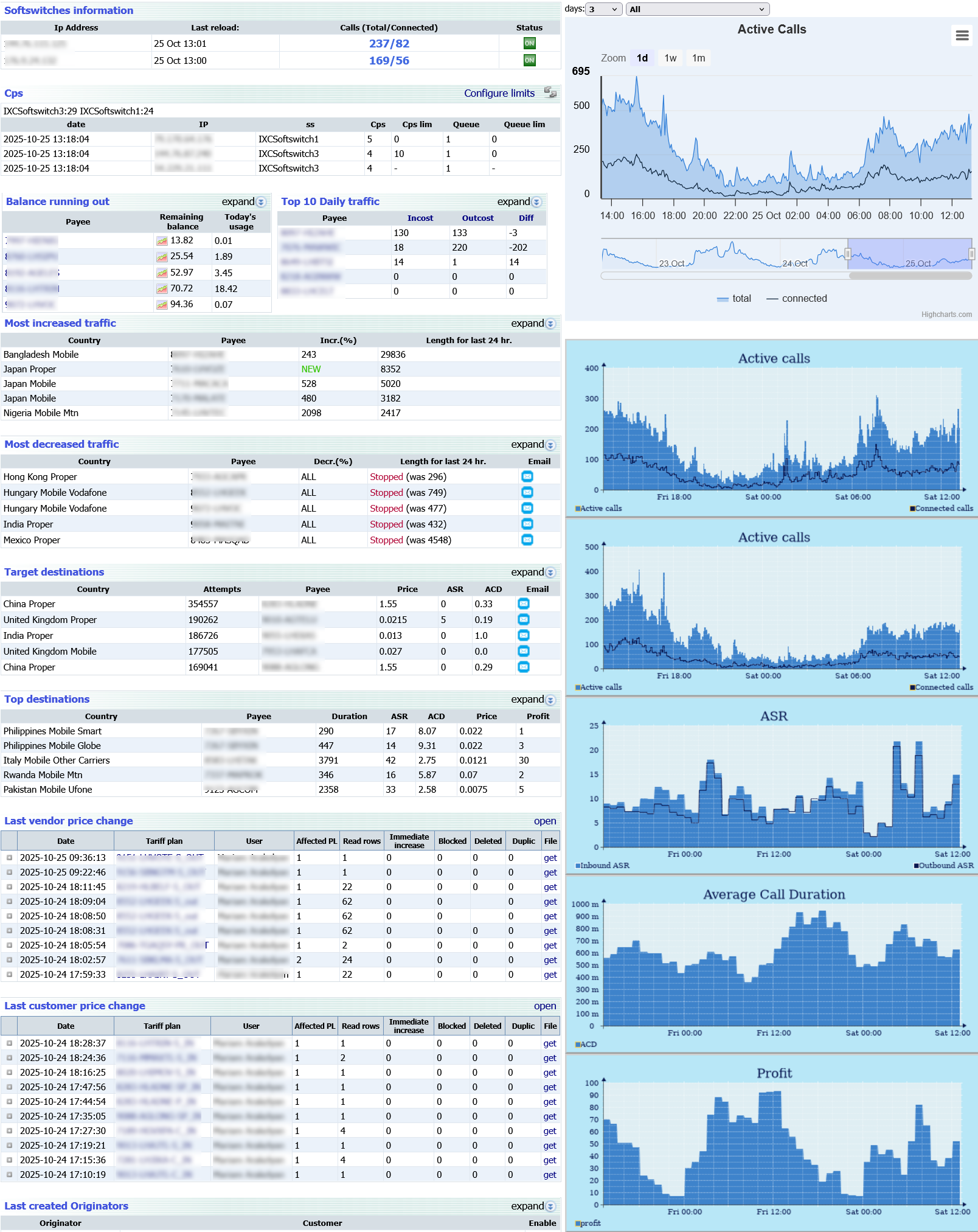
Left side
- Softswitches status: Status of all softswitches, total and connected calls in real time.
- CPS (calls per second): CPS per IP for each switch, with per–softswitch CPS limit controls.
- Customers with low balance: List of customers with low balance, current balance, burn rate, and what remains.
- Top 10 daily traffic: Today's top 10, grouped for inbound and outbound.
- Most increased traffic (24h): Destinations with the largest traffic growth in the last 24 hours.
- Most decreased traffic (24h): Largest traffic drops; optional warning emails in one click.
- Target destinations: High attempt count and lower quality to focus tuning.
- Top destinations: Destinations with the best call quality right now.
- Recent price changes: Latest terminator and originator price edits with who changed them.
- Recently created peers: Latest terminator and originator points with their key details.
- Active web sessions: Current web users with IP and session time.
Right side
- Dynamic graph of active calls: Live total and connected calls, filterable for analysis.
- Static graph by softswitch: How active calls are spread across all softswitches.
- ASR, ACD, and profit: Overall ASR, ACD, and margin trends over time.
Traffic flow report
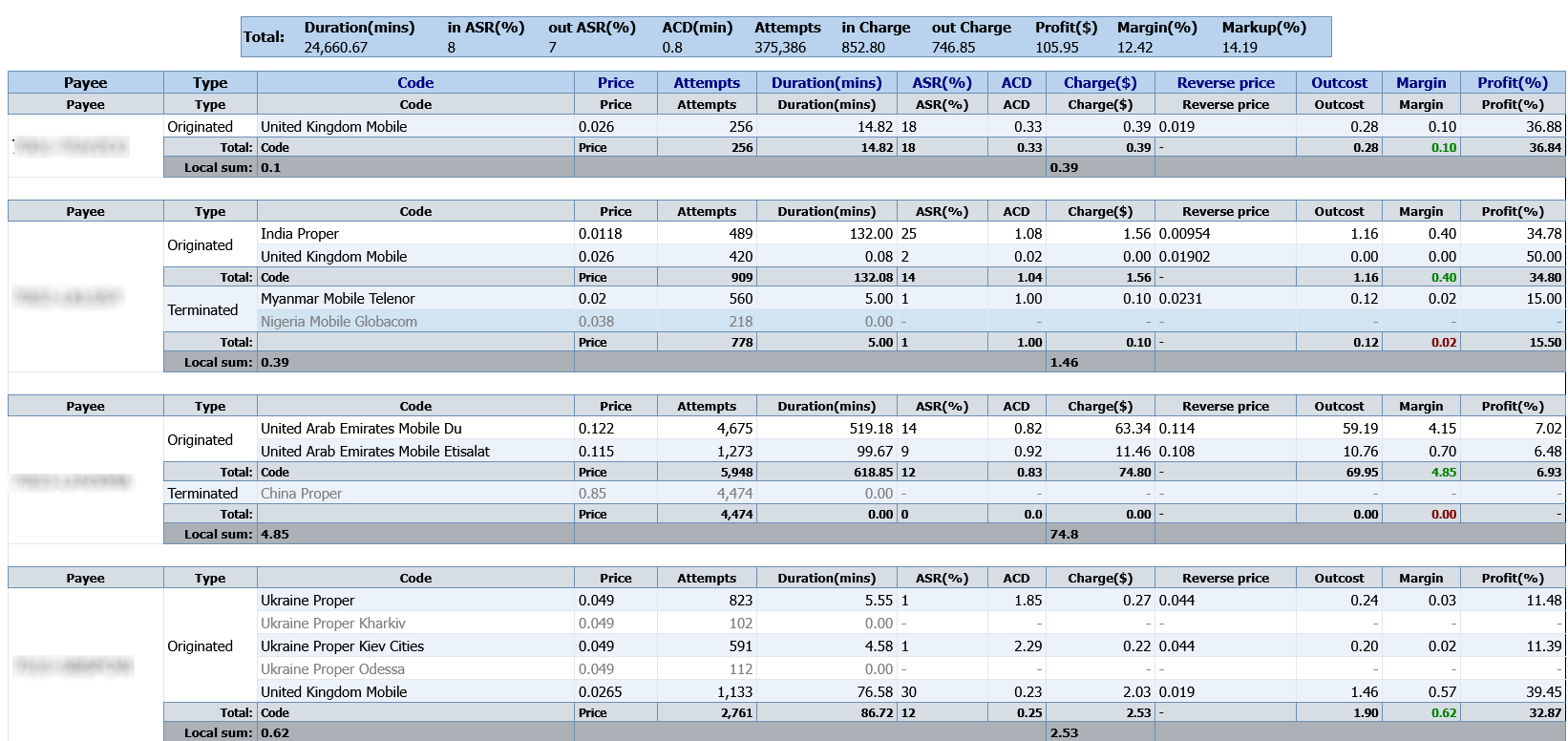
Customer and vendor traffic in one place, grouped by destination, with strong filters, sorting, and row color rules. Each row can open detailed call stats for the destination you select.
Originator/terminator calls report
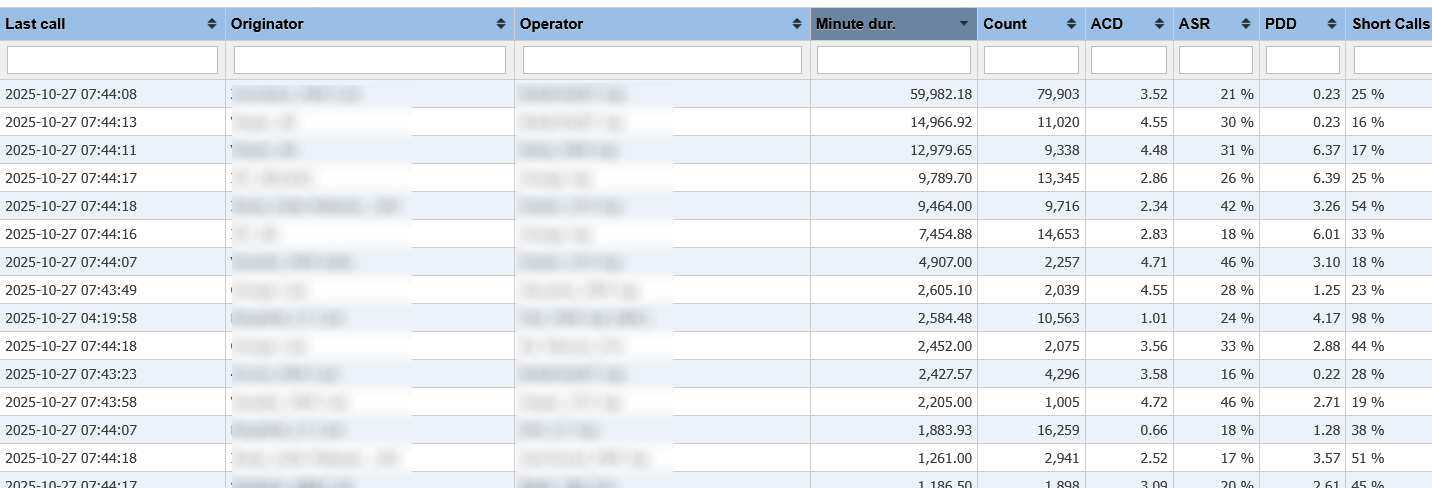
The main CDR view: group by hour, day, or week, with destination operator detail. Filter by A/B number masks, duration, margin, PDD, disconnect reason, and more. Custom layout templates, color rules, auto-refresh, and XLS/CSV export.
Call routing history
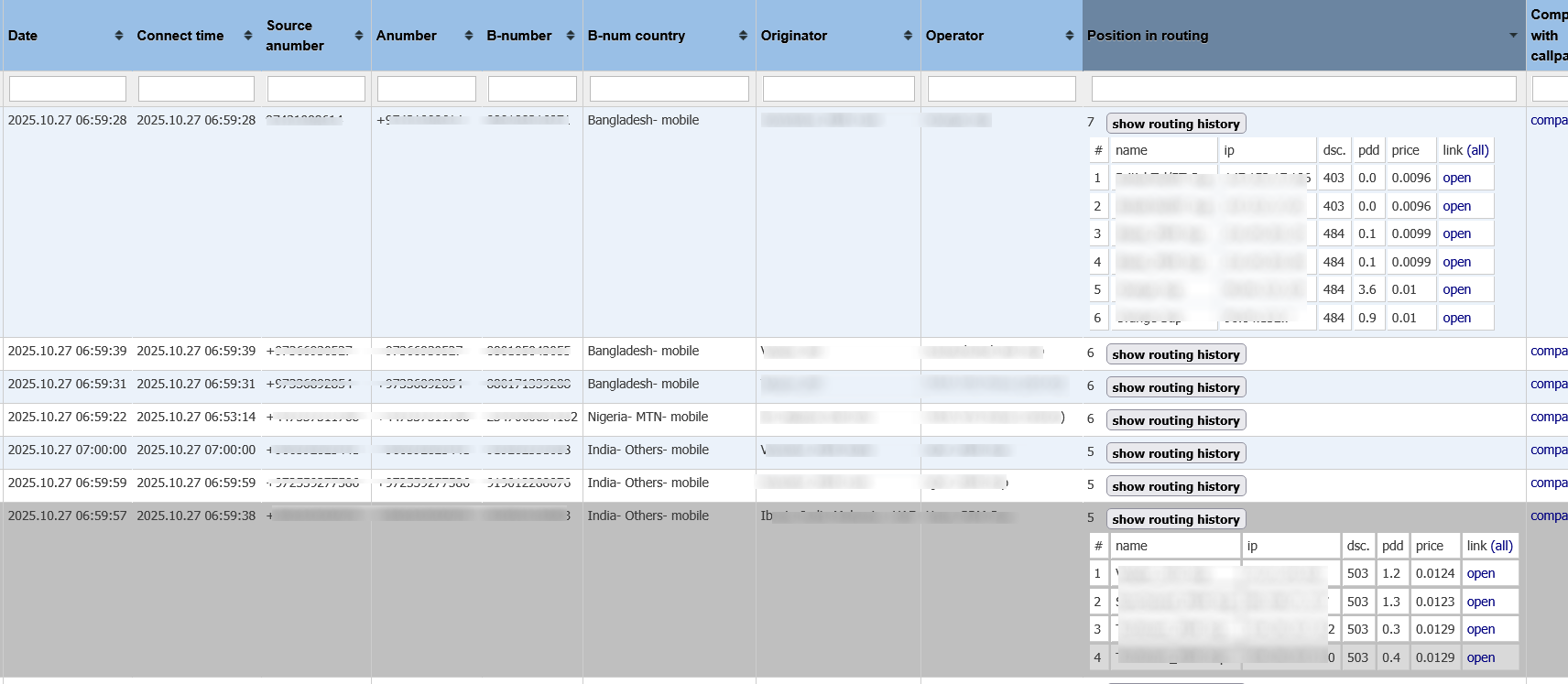
When you use “Calls” in the report, you see the winning route and every attempt, including PDD and release codes, with direct links to full reports of rejected legs for root-cause analysis.
Variation report (traffic trend)
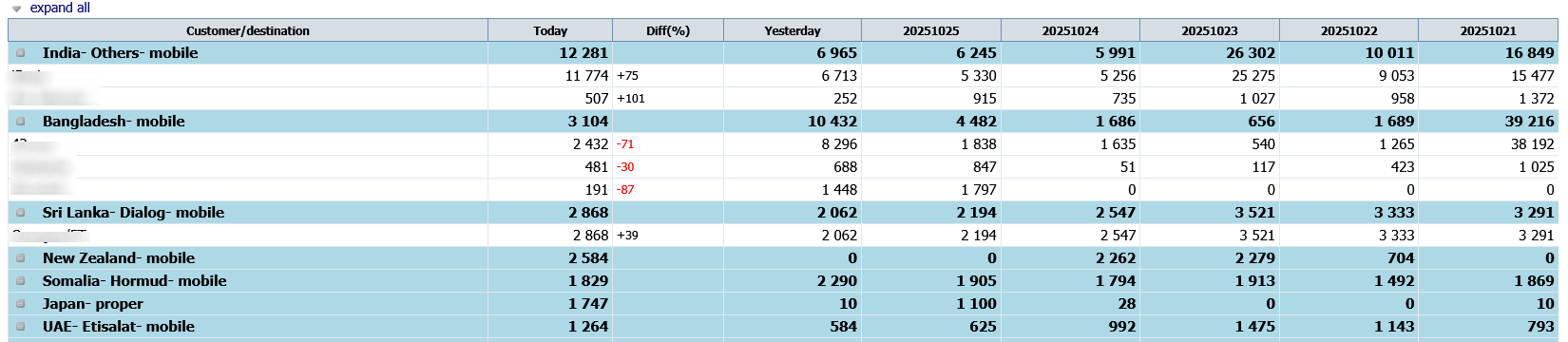
Absolute and relative change over days, weeks, or months, grouped by destination or customer, with filters for up/down trends and a custom percentage change threshold.
Access list (white/black list)


GSM blocking is a real issue for many termination networks. IXC Access List steers specific numbers to chosen carriers (terminator or originator). Upload your lists; the system can maintain them and expire entries on a schedule. Use whitelist or blacklist mode.
Routes use called numbers (CLD) and/or caller ID (CLI/ANI) as you configure.
Whitelist scenario
Only the numbers you list for a chosen carrier are allowed on that path. Everything else on that leg fails over to your remaining terminators, so the carrier is reserved for the traffic you intend.
Blacklist scenario
Listed numbers are blocked for the chosen terminator, while others still flow. Useful when anti-fraud sends repeated test calls to a fixed set of numbers.
Balance report
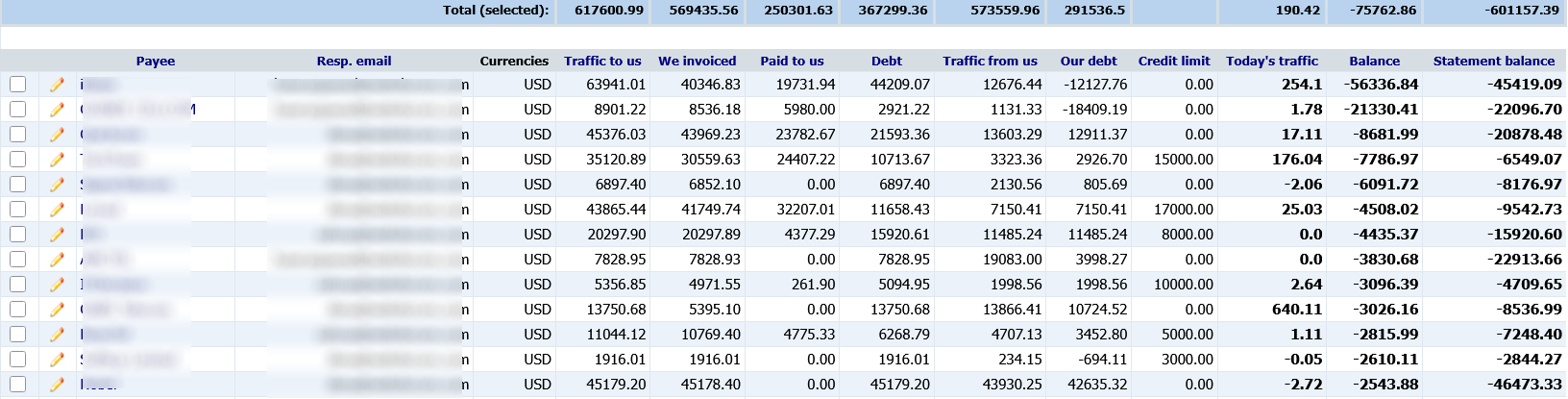
A full money view per customer: inbound and outbound, invoices, payments, debt, credit limit, and live balance. Open a customer to see the full transaction chain — invoices, payments, credits, and adjustments.
Agreements and commitments

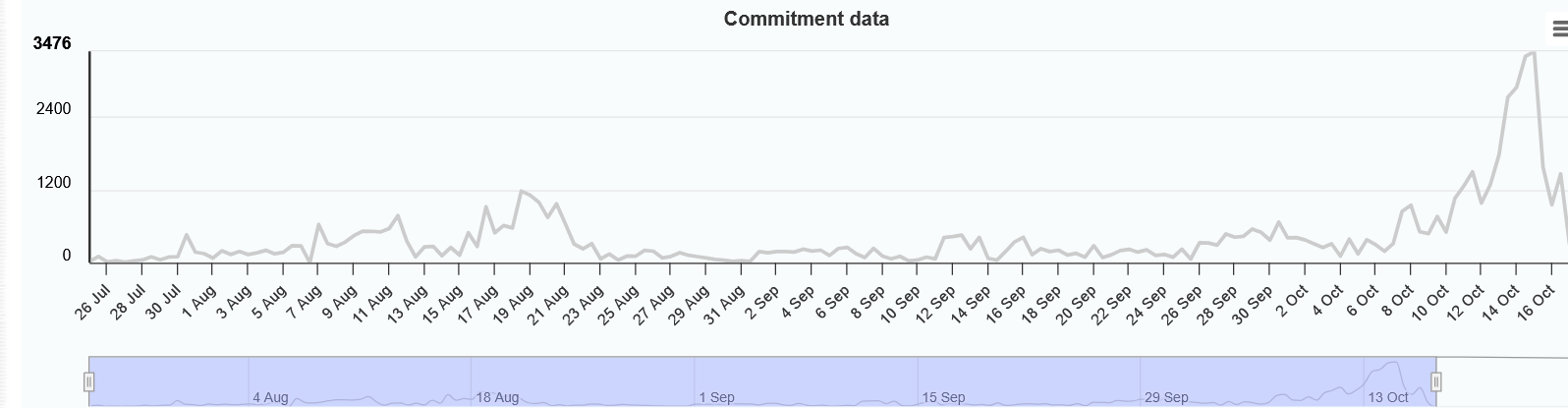
Define target volumes by date range and destination. The system accrues daily, sends reminders if you fall short, and you can open a traffic graph for each deal.
Profit report
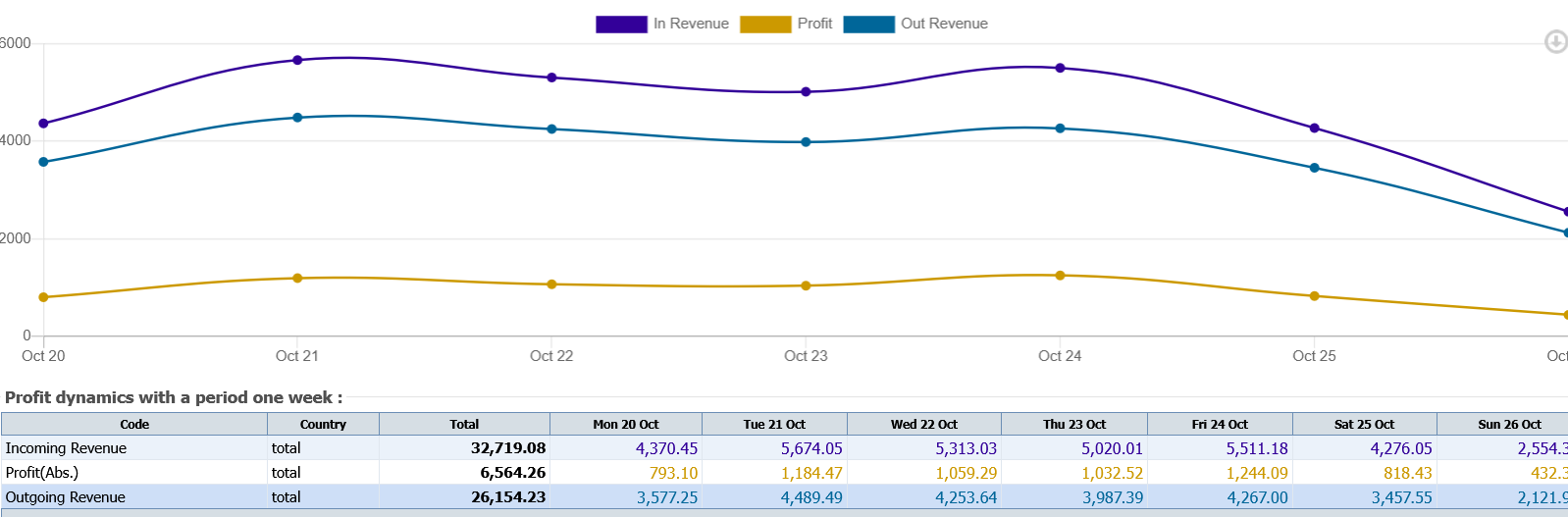
Margin and volume in clear charts, with time grouping and filters for destinations or customers.
Invoices and bills
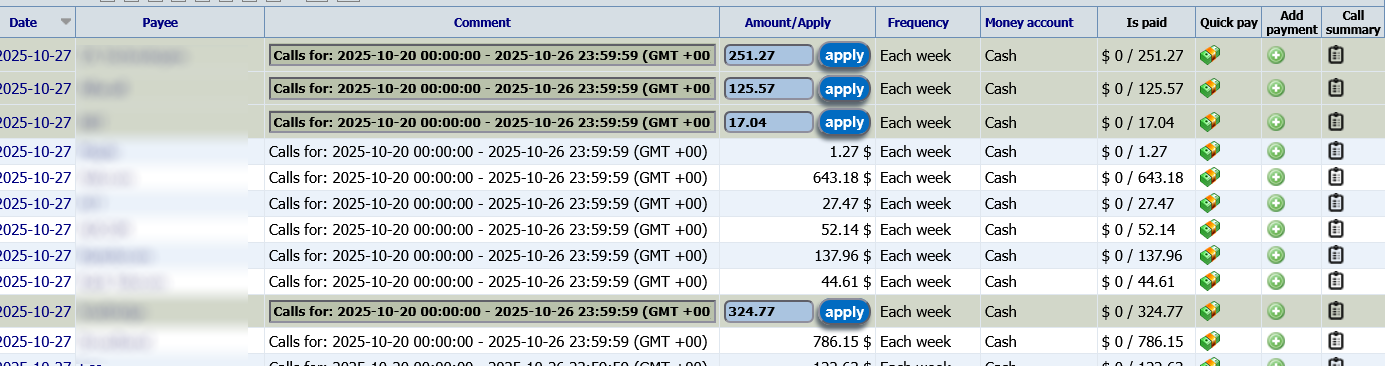
Invoices are generated and emailed on each billing close in the customer’s time zone. Vendor bills are staged as “pending” until a real vendor invoice arrives, then you apply, pay, or reject if amounts disagree.
Auto rate upload
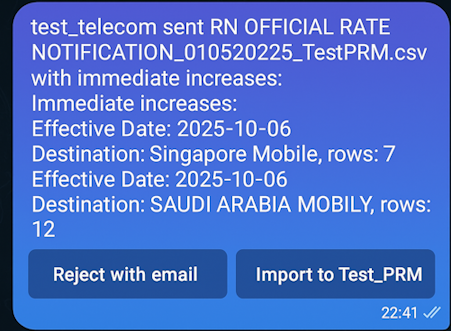
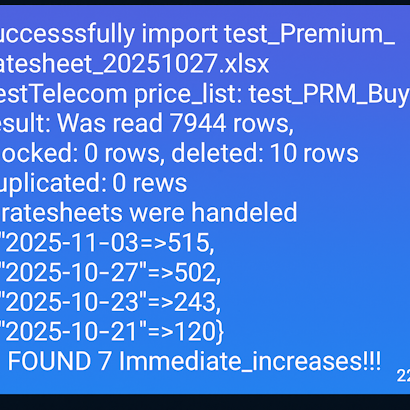
After a price template is tied to a customer, you can import rates to the right trunks from mail. If a same-day price increase is detected, confirm via a Telegram summary or reject the file. The vendor receives the outcome by email in both cases.
Live balance checks

Every call is checked against your credit engine. When a limit is hit, the account is restricted and the manager gets a Telegram action with a quick way to add balance and restore service.
Routing table
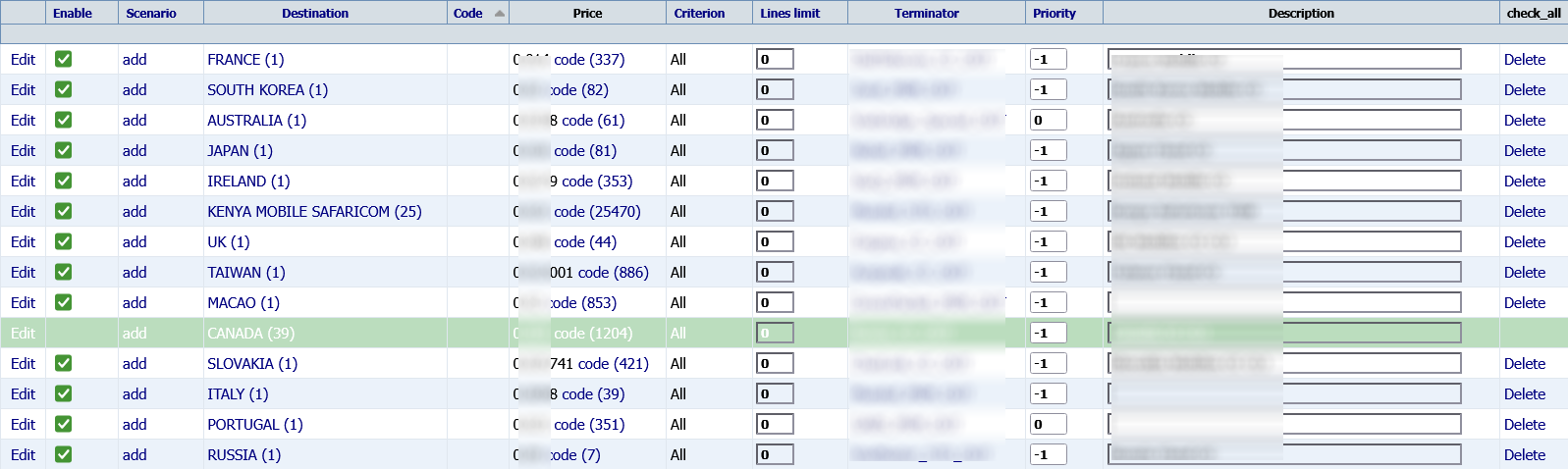
All rules for an originator in one place: match criteria, price, priority, and reuse across tables. Schedule route open, close, or swap in bulk, with CSV in and out for mass change.
Current routes
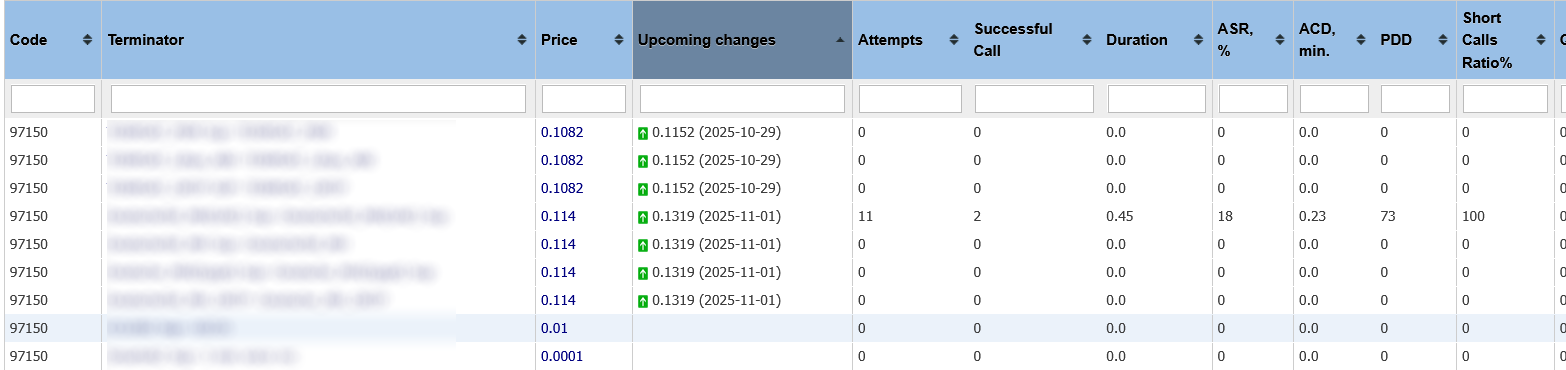
Pick a destination to see every supplier, rate, volume, and quality, plus any pending price increases, so you can set sell rates with confidence.
IXC monitoring tool


Track live ASR, ACD, PDD, and profit, compare to thresholds, and raise alerts. Rules can target originators and terminators with flexible groupings. Events are stored for post-mortems.
Notifications go to email, Telegram, or an automatic block on the affected path. You can also send a supplier trouble-ticket message to speed up repairs.
IXC Autotester
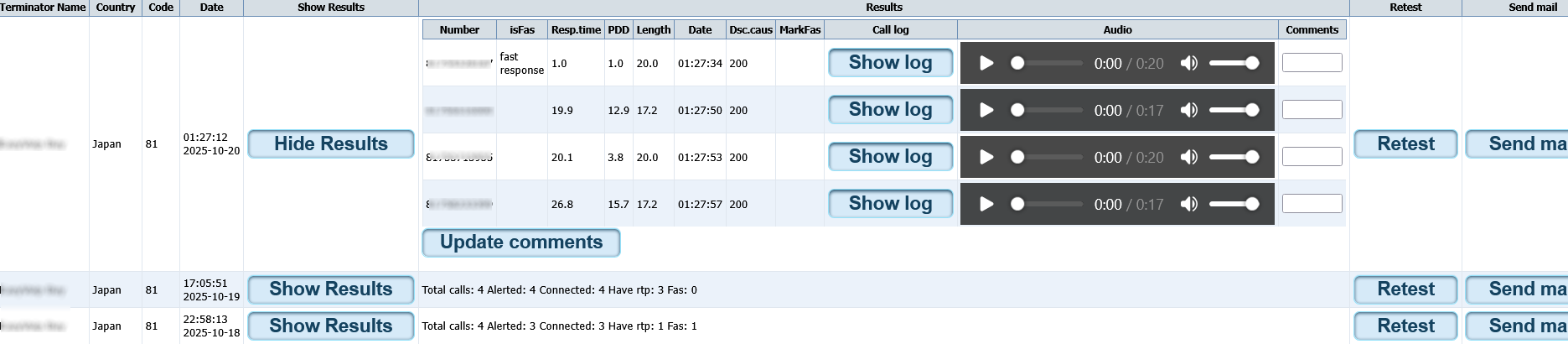
Automated multi-route, multi-destination tests with live RTP and MP3 recordings, ideal for new interconnects. Schedule recurring runs and deliver results to email. SIP and H.323, codecs such as G.711, G.723, and G.729, with playback in the browser or download for offline review.
24/7 NOC support

Over 25 years of round-the-clock operations support. The team is available for your questions, feedback, and new ideas on how you want IXC to work for you.
Request a live session
See routing, CDR, and billing in your own workflow — contact sales for a walkthrough or pilot.